How to Find Sensitive Data in a Docker Image?
In this short tutorial you will be able to find the hidden secrets inside a docker image
DOCKER SECURITY
Riyad Murad
1/5/20262 min read


Understanding Docker Images
Docker images are essential for developers, providing a convenient way to package applications and their dependencies. However, these images can also contain sensitive data that, if exposed, could lead to serious security vulnerabilities. Knowing how to find and manage this sensitive data is crucial for maintaining robust security practices.
Why Sensitive Data in Docker Images is a Concern
When building Docker images, many developers might inadvertently include sensitive information such as API keys, passwords, or configuration files in their Dockerfiles or the images themselves. If an attacker gains access to these images, they can exploit this data for malicious purposes. Thus, it's critical to routinely check for any sensitive information stored within these images.
Steps to Identify Sensitive Data in Docker Images
Using Automated Tool like TruffleHog. Or do manual scanning using ugrep
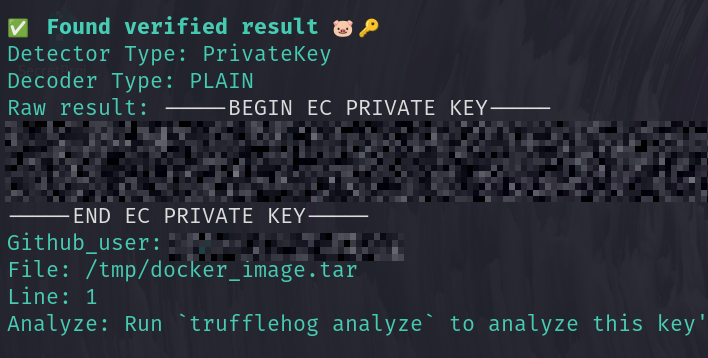
Let's start with the Automated on. Trufflehog is a powerful tool designed to help developers and security professionals detect sensitive information, such as secrets and API keys, that may be inadvertently embedded within a codebase or a Docker image. It works by scanning through the git history and identifying high-entropy strings that are likely to be sensitive data, which can prevent potential security breaches.
Installation of TruffleHog
Please refer to the github repo for more up to date versions and installation steps: https://github.com/trufflesecurity/trufflehog.
If you have kali you can use the following installation commnad: sudo apt install trufflehog
Using TruffleHog
Import the docker image: docker load -i DockerImage
Extract the docker Image: docker save dockerimage:latest -o /tmp/docker_image.tar
Run Trufflehog agains the extracted image: trufflehog filesystem --directory /tmp/docker_image.tar
Using Manual Scan
There are several tool you can use to scan the content of the extracted image, one of these tools is ugrep
execute the following to search for a private keys: ugrep -z -A 10 "BEGIN EC PRIVATE KEY" /tmp/docker_image.tar
You got the image commits that contains the private key, do the same against the returned file
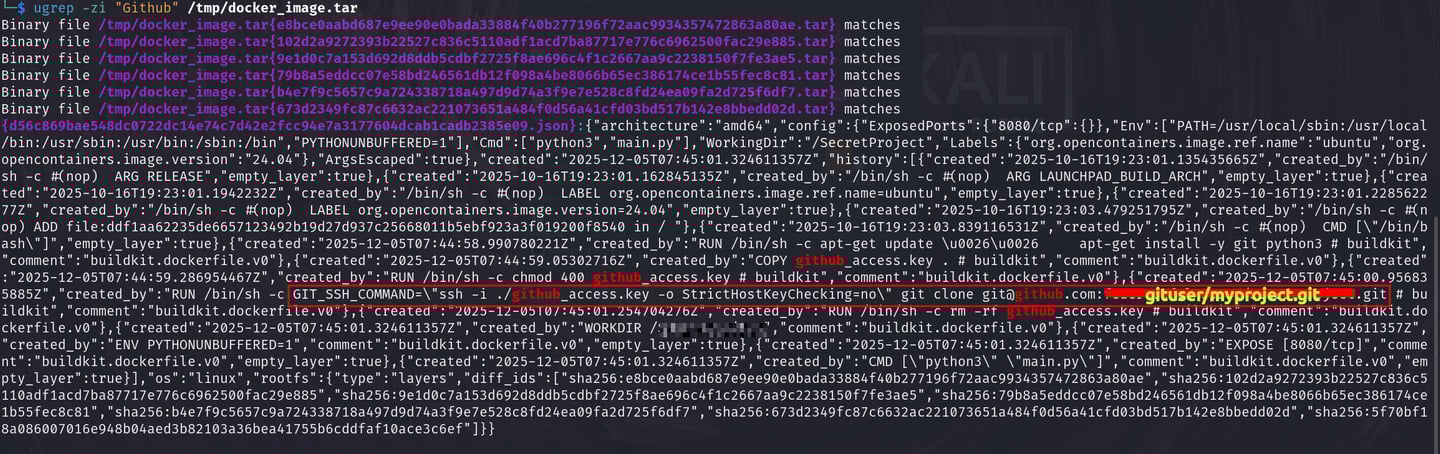
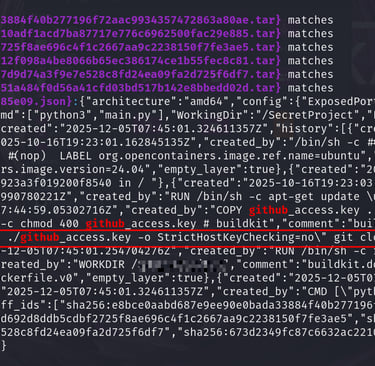
You can also run: ugrep -zi "Github" /tmp/docker_image.tar to search for the Github keyword
Conclusion
Developers must be aware about what is included in their Docker images, as any sensitive information such as passwords, API keys, or proprietary data can inadvertently be incorporated into the image layers. The immutable nature of Docker images means that once sensitive data is committed, it can be challenging to remove completely, increasing the risk of unintentional exposure.
To mitigate these risks, best practices such as using .dockerignore files, scanning images for vulnerabilities, and implementing strict access control measures are essential.